Idaho Statesman: Boise ID News
- 2.4
- Rating
- 10.00K
- Installs
- Free
- Price

 Analysis by App-foxy
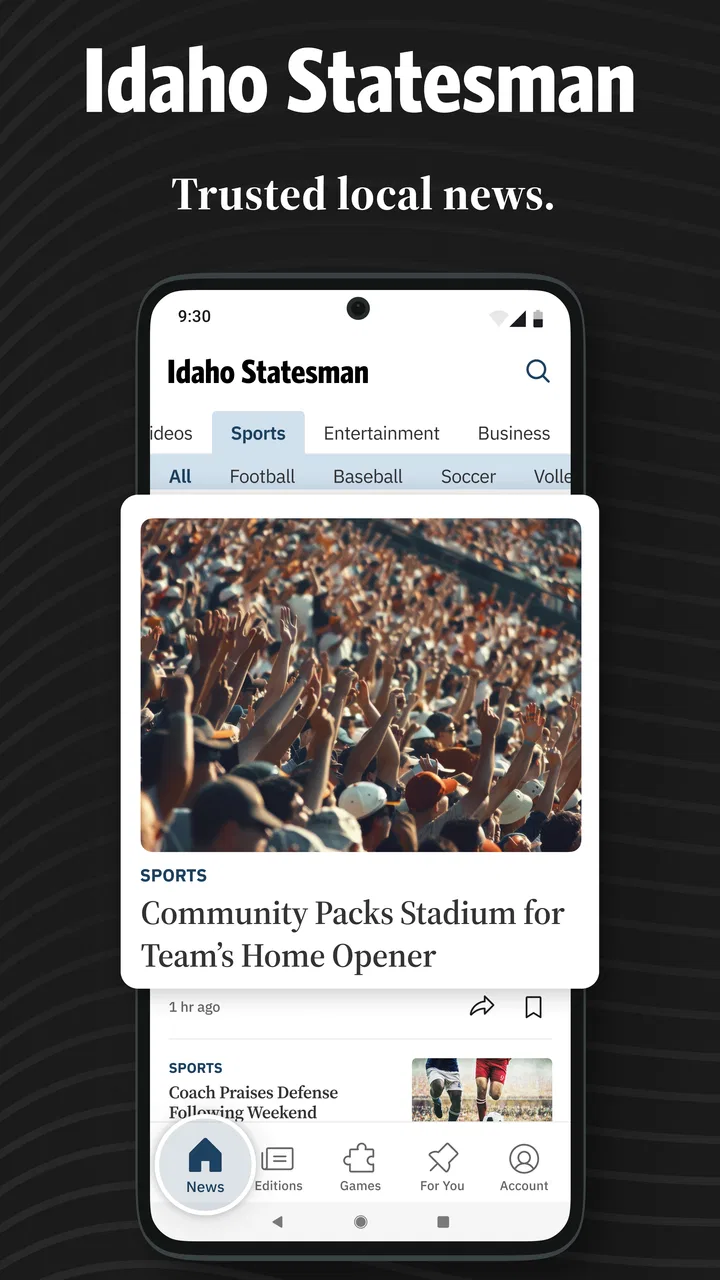
I spent time with Idaho Statesman: Boise ID News as a local news reader, and my impression is fairly clear: it is most useful when I want Boise-area reporting in one familiar place rather than a broad national news feed. The app comes from McClatchy and focuses on local breaking news, politics, business, weather, and sports. That narrow focus is its main reason to exist, and it also explains who will enjoy it most.
This is a free News & Magazines app for Android, with an Everyone 10+ content rating. It has been available since late 2011, and the current release is version 11.1.16. The audience is established but not enormous, with more than ten thousand installs, while its average rating sits at 2.4 from roughly two hundred ratings. I would not treat that score as a complete verdict, but I would take it as a reminder to approach the app for its local coverage rather than expecting a perfectly polished mobile experience.
How I use it as a daily Boise news reader
I use this section to turn a quick headline check into a reliable habit: I decide what I need to know before opening the app, then save deeper reading for stories that could affect my plans or understanding of Boise. That small distinction helps me avoid aimless scrolling and makes local coverage easier to put in context. Next, I look at how to recover when the reading routine or app experience feels less straightforward.
You May Also Like

 AccuWeather: Weather Radar
AccuWeather Review: A Quick, Clear Forecast for Everyday Decisions
For everyday plans, the best forecast is the one you can understand quickly. AccuWeather makes rain timing, radar, and local conditions easy to act on, with a few trade-offs.

 Hill Climb Racing
Why Hill Climb Racing Still Turns Crashes Into One More Run
A tiny car, a bumpy hill and one more upgrade: Hill Climb Racing keeps resurfacing because its simple chaos makes every near-miss feel personal.

 AliExpress - Shopping App
AliExpress Makes Global Shopping Feel Personal, but Shoppers Bear the Risk
AliExpress turns a global marketplace into a pocket-sized discovery engine. Its reach is useful, its shopping loop compelling, and its trade-offs easy to miss.

 Lords Mobile: Kingdom Wars
Lords Mobile Is a Kingdom-Building Routine, Not a Quick Match
A case-by-case verdict on the building, battles, device demands, and social commitments that make Lords Mobile rewarding for some players and exhausting for others.

 PDF Scanner app - TapScanner
TapScanner Makes Paperwork Easier to Capture, Check, and Share
TapScanner makes scanning with a phone feel less like a rescue operation and more like a dependable step in getting work done. Its capture tools are useful, though not flawless.

 Block Blast!
 Shows How Much a Puzzle Game Can Leave Out
A quiet grid game shows why puzzle players increasingly value instant clarity, repeatable skill and low-pressure play—and where the genre still needs to catch up.
More From Our News Desk
View All News


A practical baseline workflow for local updates
My normal routine starts with a quick scan rather than a long reading session. I open the app when I want to know what is happening around Boise, look through the most relevant local headlines, and then decide which stories deserve more attention. That simple habit works better here than trying to use the app as my only source for everything happening in the world.
The distinction matters. A general news app may give me national headlines, international stories, business markets, and a wide range of opinion. Idaho Statesman: Boise ID News is more valuable when the question is local: what is changing in the community, what local officials are discussing, whether a nearby event is affecting plans, or what is happening with Boise-area sports. Its scope feels intentional rather than accidental.
I also found it helpful to separate quick checking from deep reading. For a morning update, I skim the headlines and note anything connected to my day. Later, I return to a story if the subject affects travel, work, school, local services, or a community decision. This prevents the app from becoming a stream of headlines that I read without remembering.
The strongest habit is using the app as a local starting point, not as a replacement for every other source. I would pair it with a broader news app if I needed national or international coverage, and I would use official channels when I needed direct instructions about an urgent public matter. The Statesman app is at its best for context and ongoing local reporting.
Where the main sections fit into everyday life
The mix of politics, business, weather, sports, and breaking news gives the app several practical entry points. Weather is useful when I am planning a day around Boise conditions. Local politics and business are more valuable when I want to follow a decision over time instead of seeing one isolated headline. Sports makes the app more relevant to readers who already follow local teams and events.
That range also means I do not need to open it with the same intention every time. Sometimes I want a quick local check; other times I am following one developing story. I recommend choosing one or two sections that genuinely matter to you and building a routine around them. Trying to read every available topic can make a local app feel busier than it needs to be.
A realistic example is a weekday morning before leaving home. I check the local headlines, glance at weather-related coverage, and look for any developing story that could affect the commute or the wider community. At lunch, I may return to a political or business article for more context. In the evening, sports coverage can become the reason to open the app again. That pattern is more sustainable than constantly refreshing throughout the day.
What I would check before relying on it
The first thing I would do after installing the app is read several stories from different topics. I would compare the experience of a breaking-news item with a longer politics or business article. This gives a better sense of whether the app suits my reading style than judging it from one headline.
I would also pay attention to how easily I can return to a story after leaving it. Local news often works as a continuing thread: an initial report may be followed by updates, reactions, and consequences. If I am following a major Boise story, I want a workflow that makes it easy to recognize the latest development rather than repeatedly opening old coverage without checking its context.
Another useful test is whether the app fits my connection and attention habits. If I mainly read on short breaks, a clean headline scan matters more than elaborate browsing. If I read at home, I may care more about comfortable article pages and uninterrupted focus. The right choice depends on how I consume local news, not simply on whether the app contains the topics I want.
Settings worth checking without overcomplicating the experience
I would begin with the app’s notification controls, if they are available on the installed device, and keep only alerts that have a clear benefit. Breaking local news can be useful, but too many interruptions make every headline feel urgent. My preference would be to allow genuinely important local updates while avoiding a notification routine that pulls me into the app for every minor development.
Android system notification settings are especially worth checking because they provide a second layer of control. If an alert arrives at an inconvenient time, I would adjust the app’s notification behavior through the phone rather than abandoning the app completely. This is a small but important distinction: a noisy alert setup does not necessarily mean the underlying local coverage is not useful.
I would also review text size, display preferences, and data-related options that are actually present in the installed version. I would not assume that every device exposes the same controls, and I would avoid changing several settings at once. Make one adjustment, read an article, and decide whether it improves the experience. That approach is faster than turning on every option and then trying to identify what caused a problem.
For readers who share a device with family members, the Everyone 10+ rating is a useful general guide, but it should not be confused with a promise that every news subject will feel comfortable for every reader. News can involve crime, accidents, politics, or other serious events. I would use the rating as a broad age indicator, then apply normal judgment when a child is using the phone.
Managing the free download and possible purchase prompts
The app is free to download, which makes it easy to test with little commitment. However, in-app purchases range from $7.99 to $159.99 per item. That is the point where I would slow down and read each purchase screen carefully before confirming anything. A free install does not mean every part of the reading experience is necessarily free.
I would also make sure the purchase process is protected by the device’s authentication settings, particularly if other people can use the phone. This is practical advice for any app with paid items, but it matters more when a news app may be opened casually and repeatedly. I prefer to understand what a purchase unlocks before treating it as part of my normal workflow.
For someone who only wants occasional Boise headlines, the free installation may be enough to judge whether the app earns a regular place on the phone. For a frequent reader, the question is different: does the broader reading experience justify the available purchase? I would answer that only after using the app consistently and deciding whether its local reporting is more valuable to me than free alternatives such as general news aggregators, television websites, radio apps, or browser bookmarks.
Faster patterns for experienced readers
The quickest way to use this app is to give each visit a purpose. I might open it for a local weather check, a developing political story, a business update, or sports results. If I do not know why I am opening it, I am more likely to scroll without focus. A simple intention keeps the session short and makes the local coverage easier to remember.
I also like a two-pass reading pattern. On the first pass, I scan headlines and identify the few stories that matter. On the second, I read only those articles carefully. This is more efficient than opening every headline and then losing track of which stories were important. It is particularly useful on busy mornings when I want local awareness without spending a long time in the app.
For developing stories, I would keep a small mental timeline: what was first reported, what changed, and what remains unresolved. That habit helps prevent an early headline from being mistaken for the complete story. Local news often develops in stages, so returning later can be more useful than repeatedly rereading the first article.
Another practical pattern is to connect the app with a broader information routine. I might use this app for Boise-specific reporting, a weather service for immediate conditions, and an official source for instructions or public notices. Each tool has a different job. Expecting one news app to provide all three can create confusion, especially during fast-moving events.
Using local coverage without losing perspective
The app’s local emphasis is a strength, but it can also narrow my view if I use it in isolation. A Boise story may be connected to state or national developments that are easier to understand through another source. When an article involves legislation, markets, public policy, or a wider regional issue, I would take the local report as a useful entry point and then look outward for broader context.
This is not a criticism of the app’s purpose. In fact, it is why the app works well in a larger routine. Local reporting can offer details that broad aggregators miss, while broader sources can explain the background behind those details. Combining them gives me a clearer picture than relying on either approach alone.
I would also avoid treating the most urgent headline as automatically the most important story. Breaking news is valuable when I need immediate awareness, but longer coverage in politics, business, weather, and sports may have more lasting relevance. My best results came from balancing quick updates with occasional slower reading.
Advanced limits that affect the decision
The average rating of 2.4 is a meaningful warning about expectations. It does not tell me exactly which issues affected every reader, but it suggests that some people have encountered friction. I would therefore judge the app on my own device, network, and reading habits rather than assuming the experience will be flawless.
The current version, 11.1.16, is compatible with Android 8.0 and later. That makes the minimum operating-system requirement important for anyone using an older phone. Before planning a long-term routine around the app, I would check the Android version on the device I actually intend to use. A local news app is not helpful if the phone cannot install or maintain it reliably.
I would also keep storage and battery expectations realistic. News apps are normally used often, and repeated opening, image loading, and notifications can become noticeable on an older device. If the phone is already short on space or battery, I would monitor the app for a few days rather than assuming it will behave like a lightweight text reader.
Another limitation is the difference between local relevance and personal relevance. The app covers Boise-area news, but not every story will matter to every resident. Someone who wants only national politics, global business, entertainment, or a highly personalized feed may find the focus too narrow. Someone outside the Boise area may also have little reason to keep it installed unless they follow the community from a distance.
Readers who dislike subscription-style prompts or paid access should be especially cautious about the purchase range. I would not enter payment details simply because an article is interesting. First I would establish whether the free experience meets my needs and whether the paid option provides a benefit I would use repeatedly. If not, a free local aggregator or browser-based reading routine may be a better fit.
Who should choose it, and who should skip it
I would recommend this app to Boise residents who want a dedicated place for local reporting and who appreciate following community stories over time. It is also a reasonable option for former residents, family members, or anyone with a practical connection to the area. The combination of local breaking news, politics, business, weather, and sports gives it more depth than a single-topic feed.
I would be less enthusiastic for someone who wants one app to cover the entire news world. A national aggregator will be better for breadth, while a dedicated weather app will usually be the better tool for minute-by-minute conditions. People who prefer newsletters, podcasts, or browser tabs may also find a standalone app unnecessary.
I would skip it if I strongly dislike evaluating purchase prompts, if my device runs an Android version older than 8.0, or if I need consistently high app ratings as a sign of polish. The local focus may still appeal to those users, but the practical friction could outweigh the benefit.
My mastery verdict after building a repeatable routine
After using it as part of a structured local-news habit, I see Idaho Statesman: Boise ID News as a focused tool rather than an all-purpose news center. Its value comes from staying close to Boise topics that broad apps often treat as secondary. The best results come from opening it with a clear purpose, controlling notifications, checking purchase prompts carefully, and pairing the coverage with broader or official sources when the subject demands it.
McClatchy’s app is free to try, and its established presence makes it easy to understand why it remains relevant to readers who care about Idaho Statesman coverage. Still, the 2.4 average rating means I would not recommend installing it blindly and assuming a smooth experience for everyone. I would test the reading flow, alerts, and article access on my own phone before committing to it as a daily source.
My final judgment is cautiously positive for the right audience. If Boise news is central to your day, this app can give your routine a useful local anchor. If you mainly want national headlines, instant weather tools, or a completely free and frictionless reading experience, another option will probably suit you better. Use it deliberately, keep your expectations focused on local reporting, and it becomes much more useful than a casual headline-scrolling app.
FAQs for Idaho Statesman: Boise ID News
01What is the Idaho Statesman: Boise ID News app?
Idaho Statesman: Boise ID News is a mobile news application focused on Boise, the Treasure Valley, and communities across Idaho. It provides access to local reporting, breaking news, politics, sports, business, entertainment, weather, and community coverage. The app is designed for readers who want Idaho-focused journalism in a convenient format rather than relying only on a desktop browser.
02Is a subscription required to read articles in the Idaho Statesman app?
Some content may be available to everyone, but many articles and premium features can require an Idaho Statesman subscription or digital access plan. The exact limits, pricing, and included benefits may change over time. Before downloading, users should review the current subscription information in the app or on the publisher’s website, especially if they expect unlimited access, e-edition content, or subscriber-only reporting.
03What type of news and features does the app provide?
The app generally combines local and regional reporting with sections such as breaking news, politics, crime, education, sports, business, opinion, lifestyle, and weather. Depending on the current version, it may also include notifications, saved articles, multimedia content, and access to an e-edition or subscriber features. Availability can vary by device, account type, and future app updates.
04Can I receive breaking-news notifications from the Idaho Statesman app?
Yes, the application may send push notifications about important local developments, breaking stories, severe weather, sports updates, and other selected topics. Notifications are normally controlled through the app and your phone’s system settings, so you can disable them or limit them if they become too frequent. Users should also remember that alerts require an internet connection and may not cover every event.
05Does the Idaho Statesman app work on both Android and iPhone?
The Idaho Statesman mobile experience is intended for supported Android and iOS devices, although compatibility depends on the operating-system version and the app release available in your region. Before installing, check the Google Play Store or Apple App Store listing for current requirements, storage needs, and recent update information. An active internet connection is recommended for loading articles, images, videos, and notifications.
Pros
- Covers Boise and wider Idaho communities with strong local focus.
- Provides timely updates on politics
- education
- business
- and public safety.
- Investigative reporting offers deeper context than brief news alerts.
- App layout makes browsing sections and saving stories straightforward.
- Subscribers can access premium articles and subscriber-only content.
Cons
- Many articles require a paid subscription after the available access limit.
- Some content may feel less relevant to readers outside Idaho.
- Breaking-news alerts can become frequent during major local events.
- The app may promote subscription offers while browsing free content.
- Certain features depend on a stable internet connection for full access.

Idaho Statesman: Boise ID News
Gallery